 Kerwise

Kerwise – All-in-One File Manager: tags, archives, a private vault and cable-free transfer
Windows
The pieces Windows is missing, in one app: tag and find files, send folders with their labels, clear duplicates, lock private files and move files without a cable.
Windows already has a file explorer. What it does not have is a place to remember why a file matters, a safe corner for private documents, or an easy way to get photos off your phone. Kerwise – All-in-One File Manager adds those missing pieces in one app, without sending your files anywhere.
Here is what it does, organised by the jobs people actually need to get done.
"Where did I put that contract?"
Folders only let a file live in one place. Tags let it belong to many ideas at once.
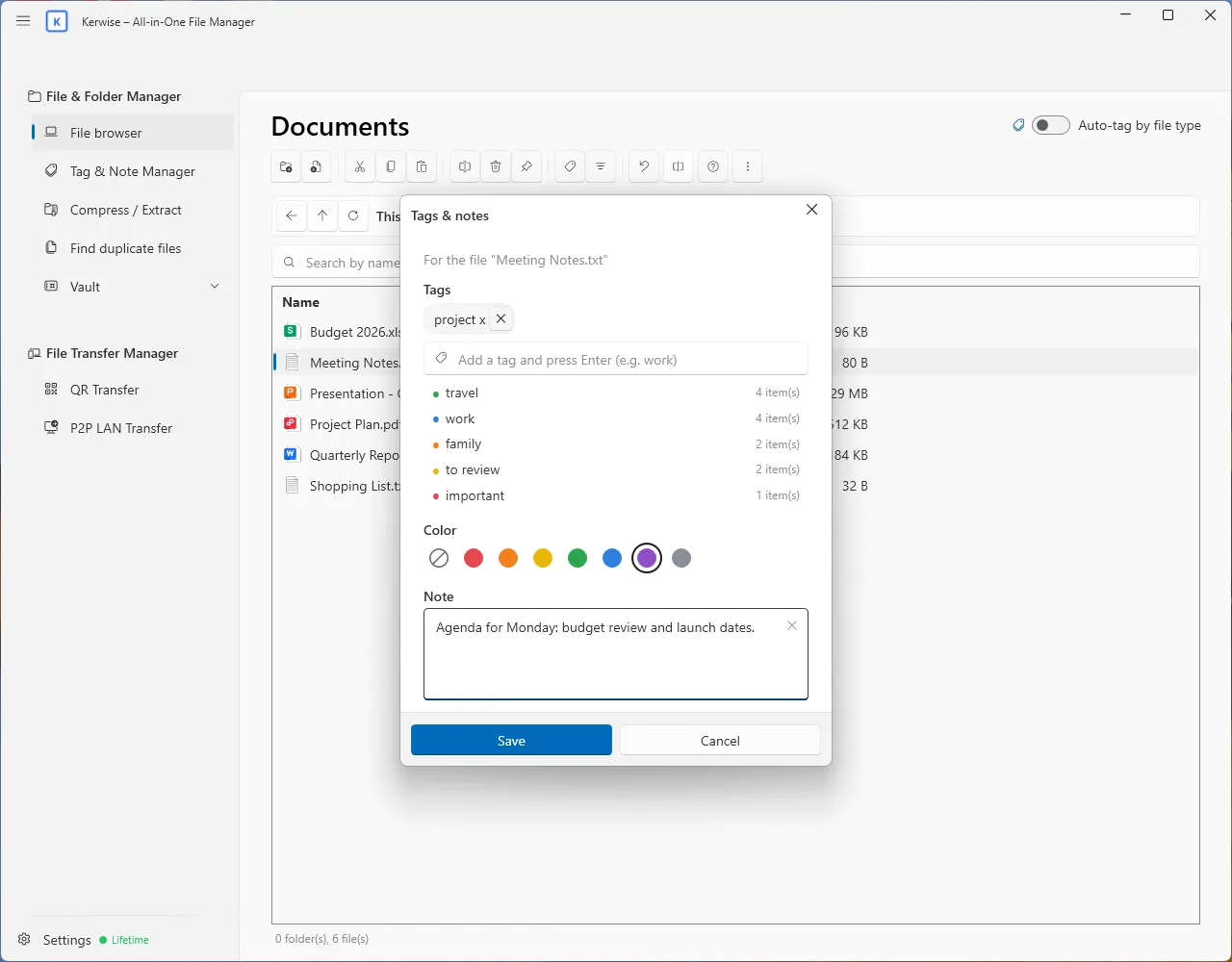
- Give any file or folder several tags, one of seven colours and a short note.
- Tag many items in one go; the app suggests tags you have used before and warns about near-duplicates such as "invoice" and "invoices".
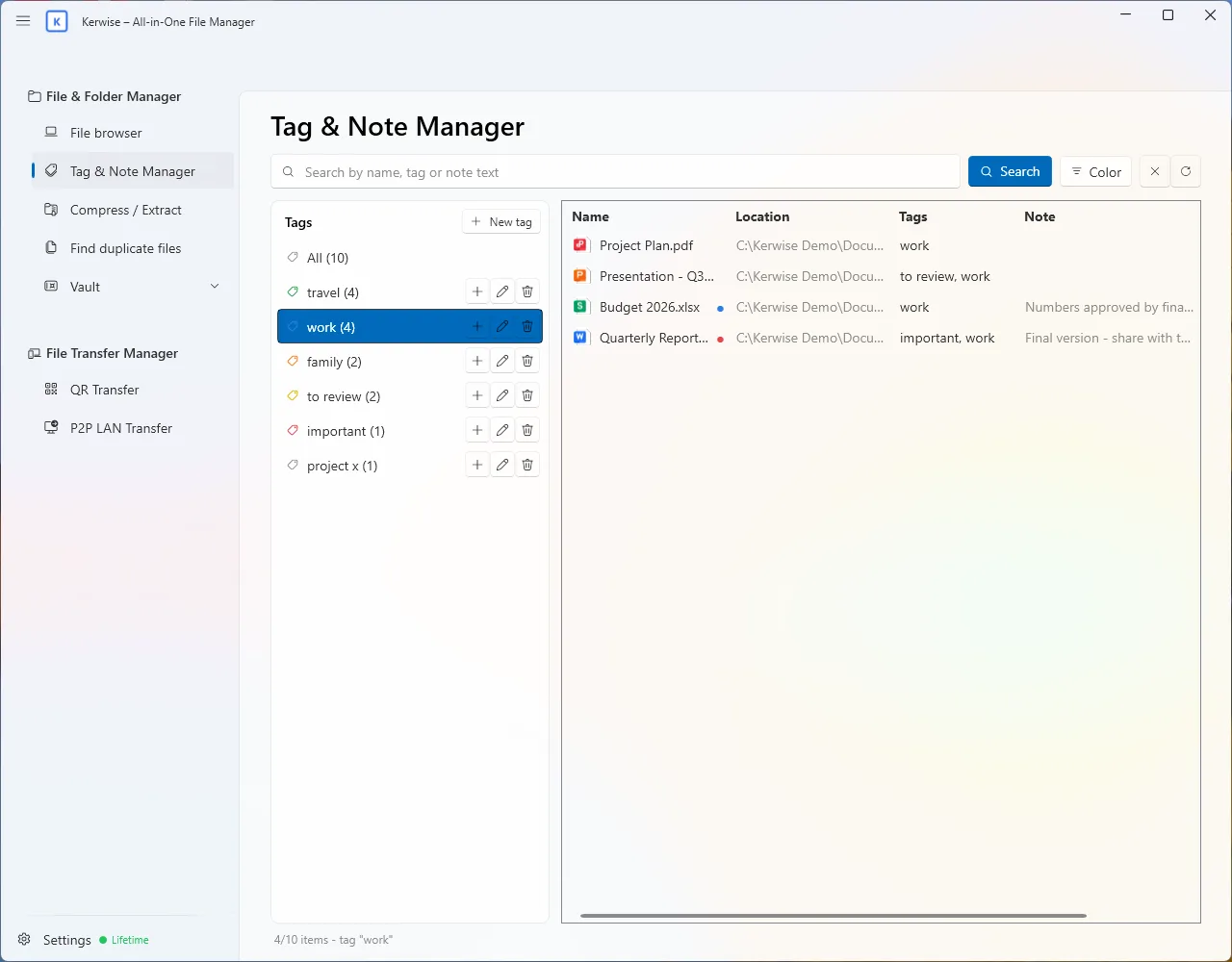
- Tag & Note Manager lists everything you have tagged. Search by name, tag or the text of a note, filter by colour, and jump straight to the file.
- Optional auto-tagging labels files by type: images, videos, documents, spreadsheets and so on.
Tags are stored in the app's own database, so the files themselves are never modified.
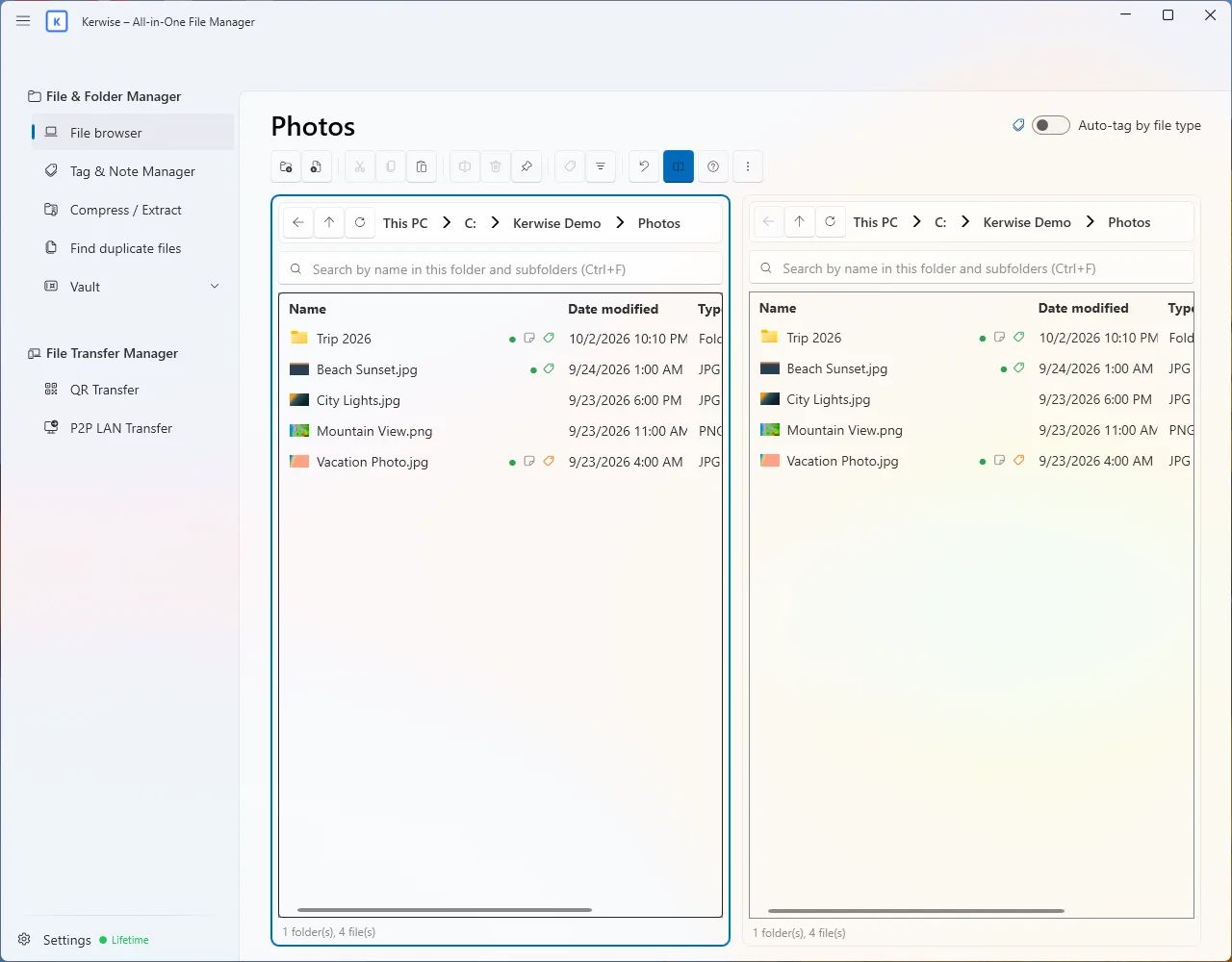
Browse two folders side by side
The built-in file browser shows thumbnails like Windows does and splits into two panes. Drag files between the panes, or between Kerwise and other apps. Copy, move, rename, search inside subfolders (Ctrl+F) and filter by tag colour, all in the same window.
Send a folder and keep its labels
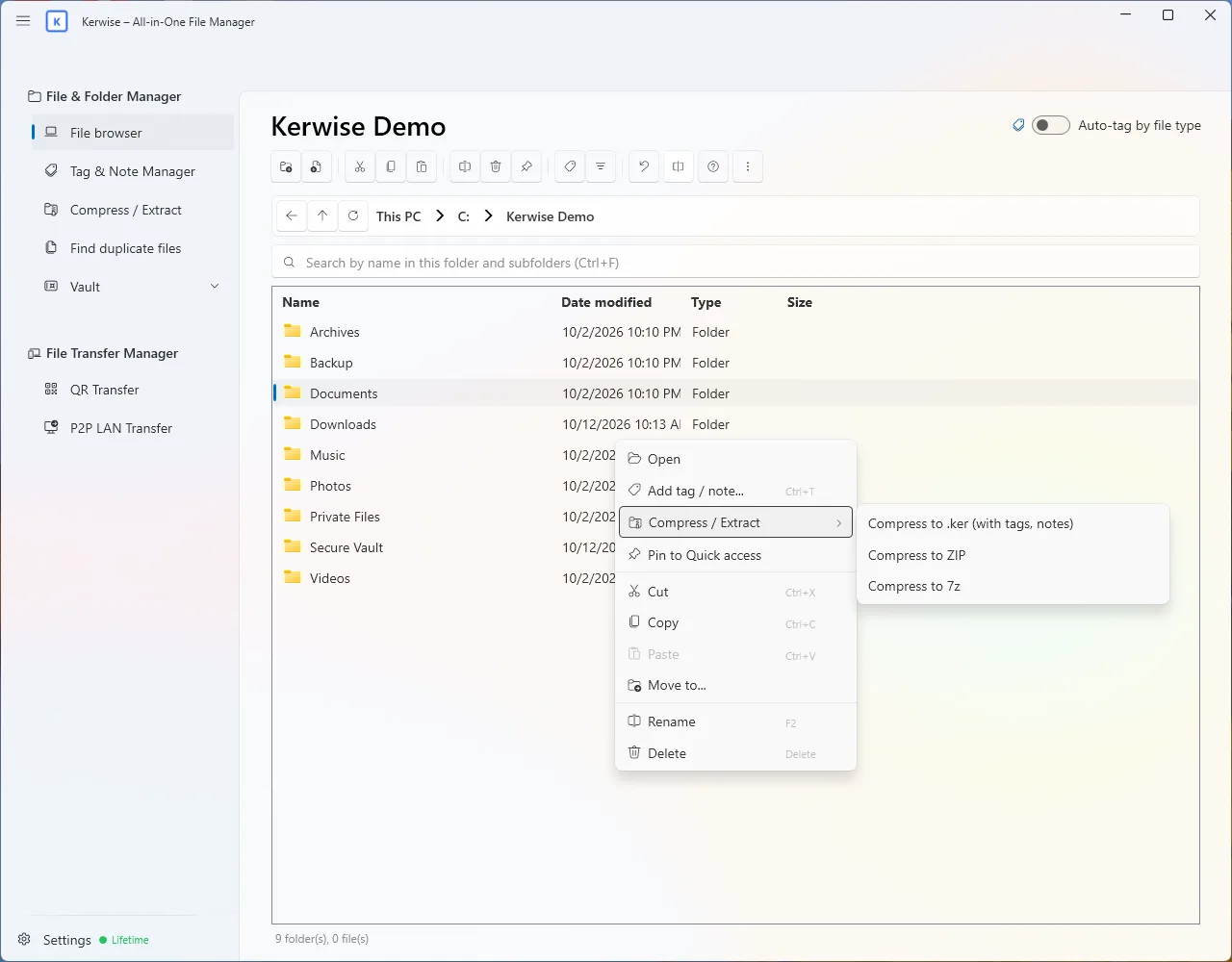
Zip files lose your tags. The .ker format does not: it is a standard ZIP inside, plus an index of every tag and note.
- Another Kerwise user sees the tags before unpacking, can extract only the files with a chosen tag, and gets the tags back on their computer.
- Anyone without Kerwise can still open a .ker file with any ZIP tool.
The app also creates ZIP (with AES-256 password protection) and 7z, and extracts ZIP, RAR, 7z, TAR, GZ, BZ2 and XZ. It always extracts into a new folder, so nothing gets overwritten. On Windows 11 these actions sit in the right-click menu of File Explorer, under "Kerwise".
Win back disk space safely
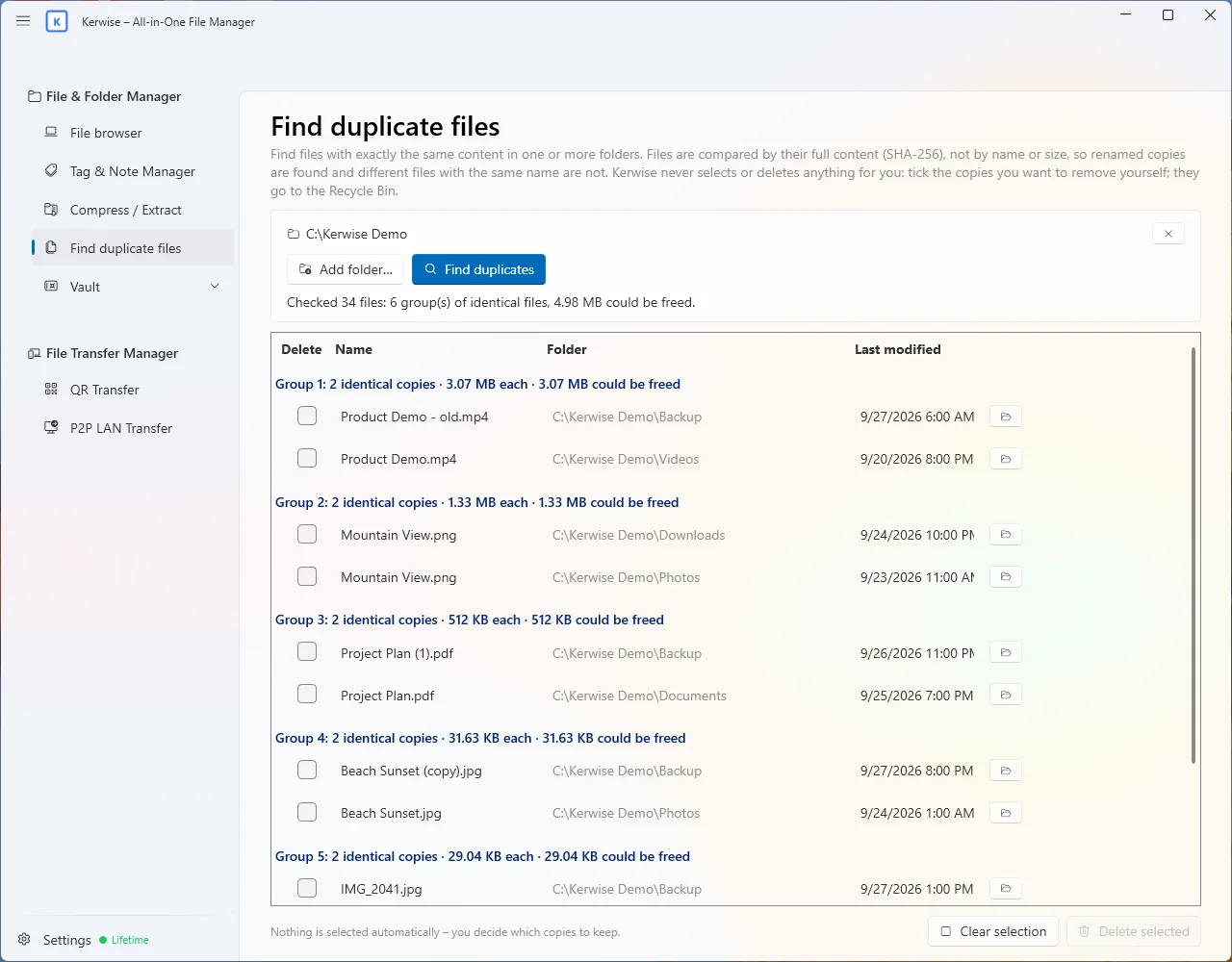
Duplicate finder compares the real content of files with SHA-256, so it finds copies even after they were renamed, and never confuses two different files that share a name. Kerwise never picks or deletes anything for you: you choose which copies to remove and they go to the Recycle Bin.
Keep private files private
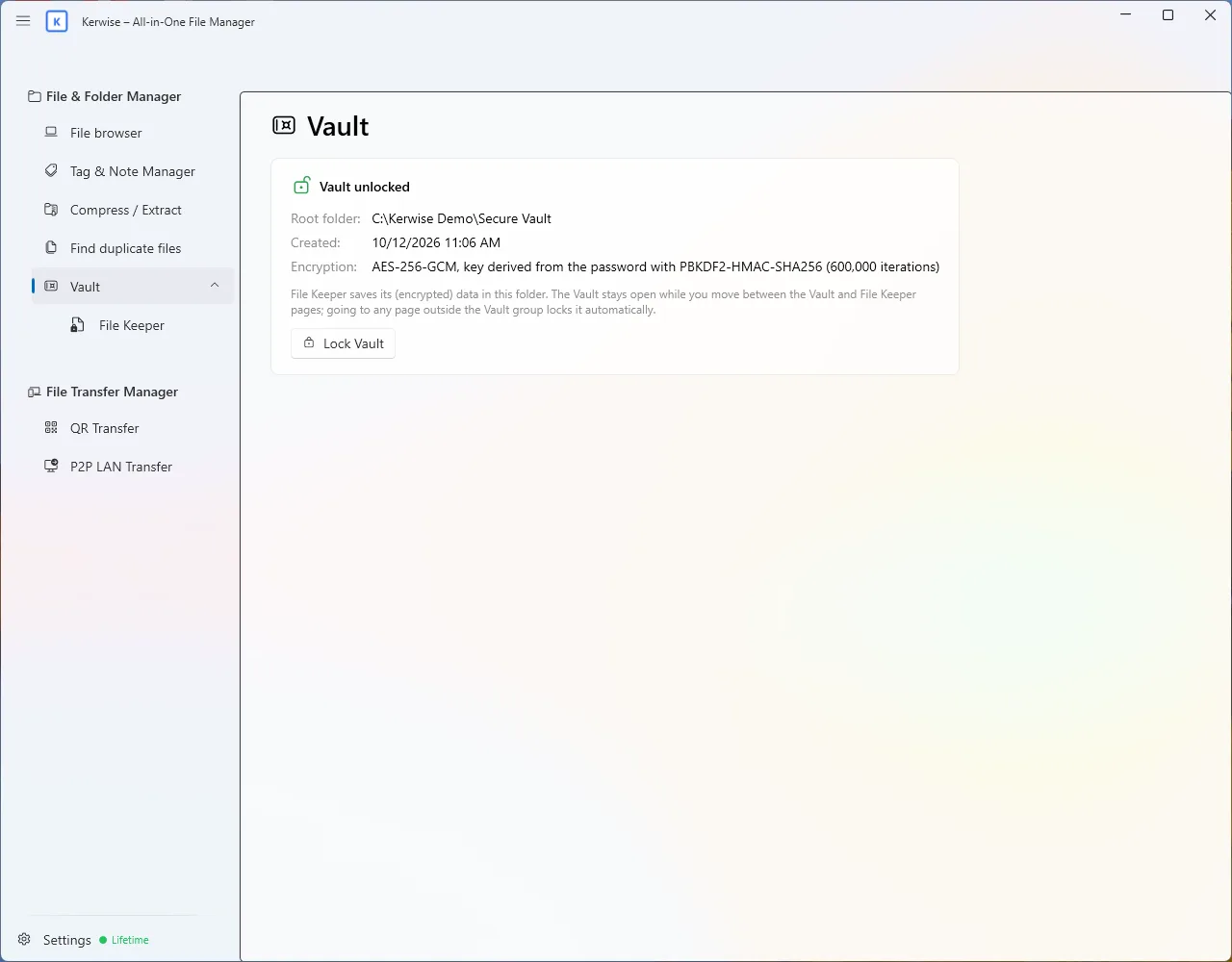
Vault is a folder locked with your password. Files inside are encrypted with AES-256-GCM, and the key comes from your password through 600,000 rounds of PBKDF2. Your password is not stored anywhere, which also means a forgotten password cannot be recovered; the app asks you to confirm that you understand this.
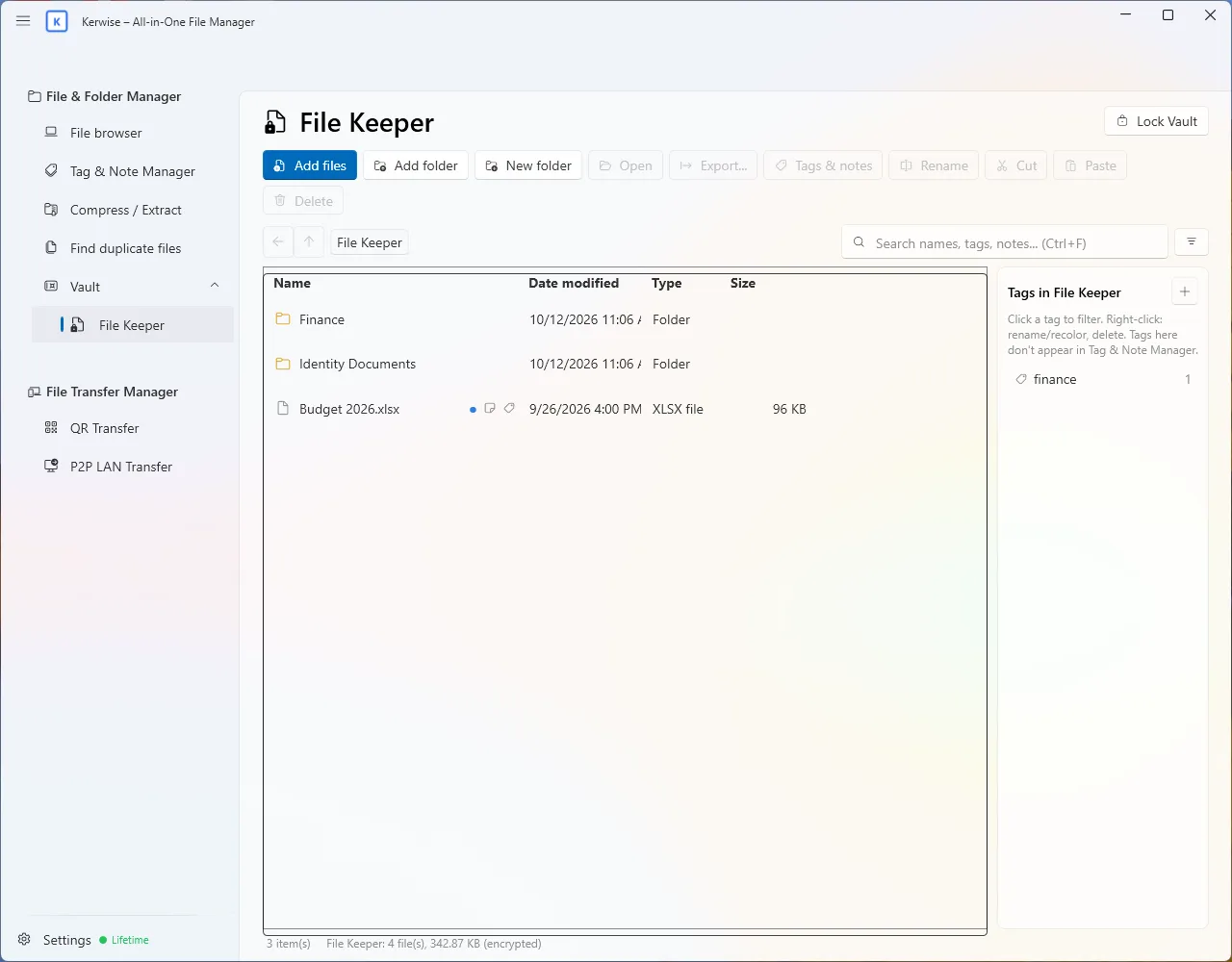
Inside the Vault, File Keeper holds your encrypted files with their own tags and notes. Open a file to work on it, and your changes are saved back encrypted. Wrong passwords trigger growing waiting times, and the Vault locks itself when you leave it or hide the app.
Move files without a cable
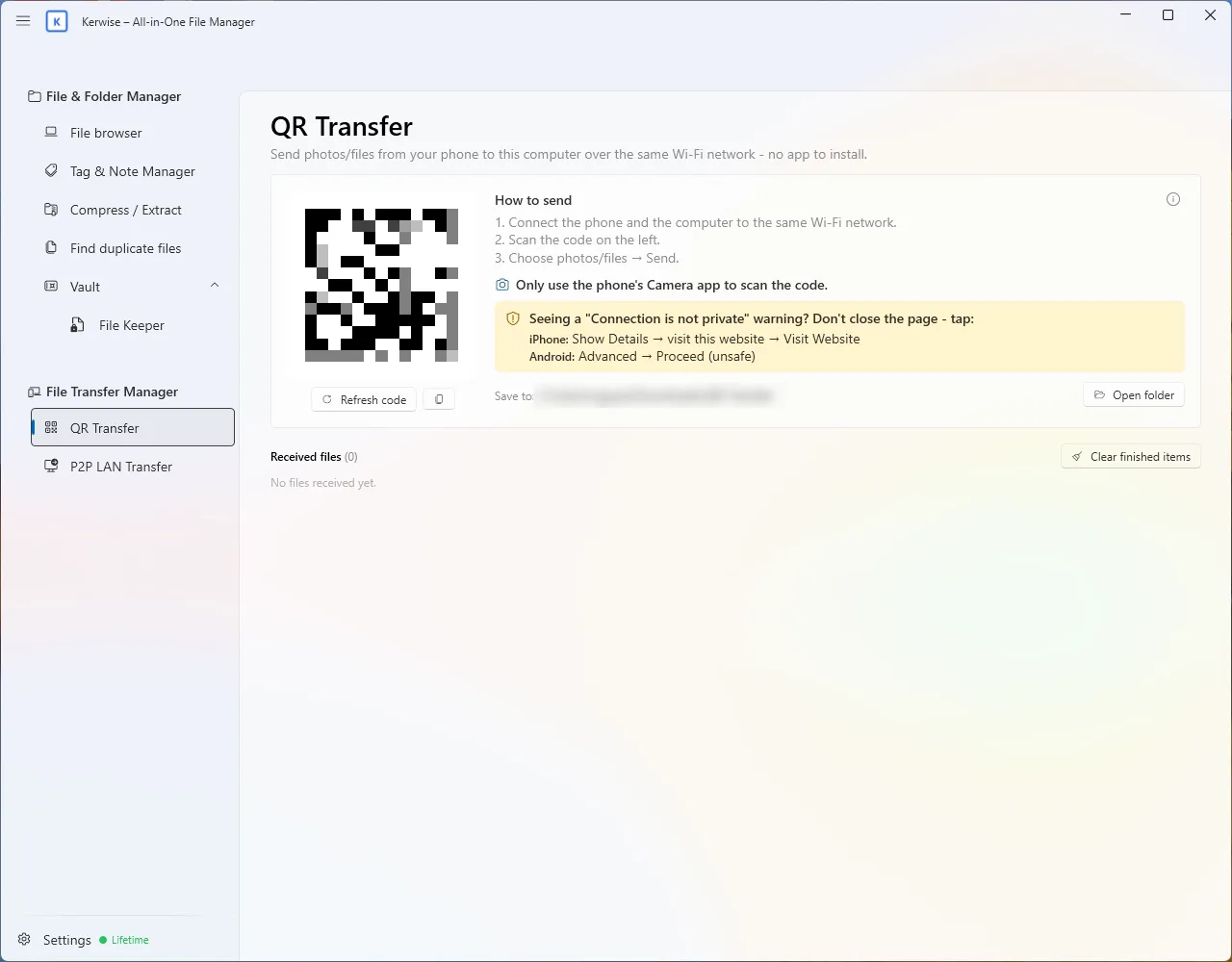
- QR Transfer: scan a QR code with your phone's camera and send photos and files to your computer over Wi-Fi. Nothing to install on the phone.
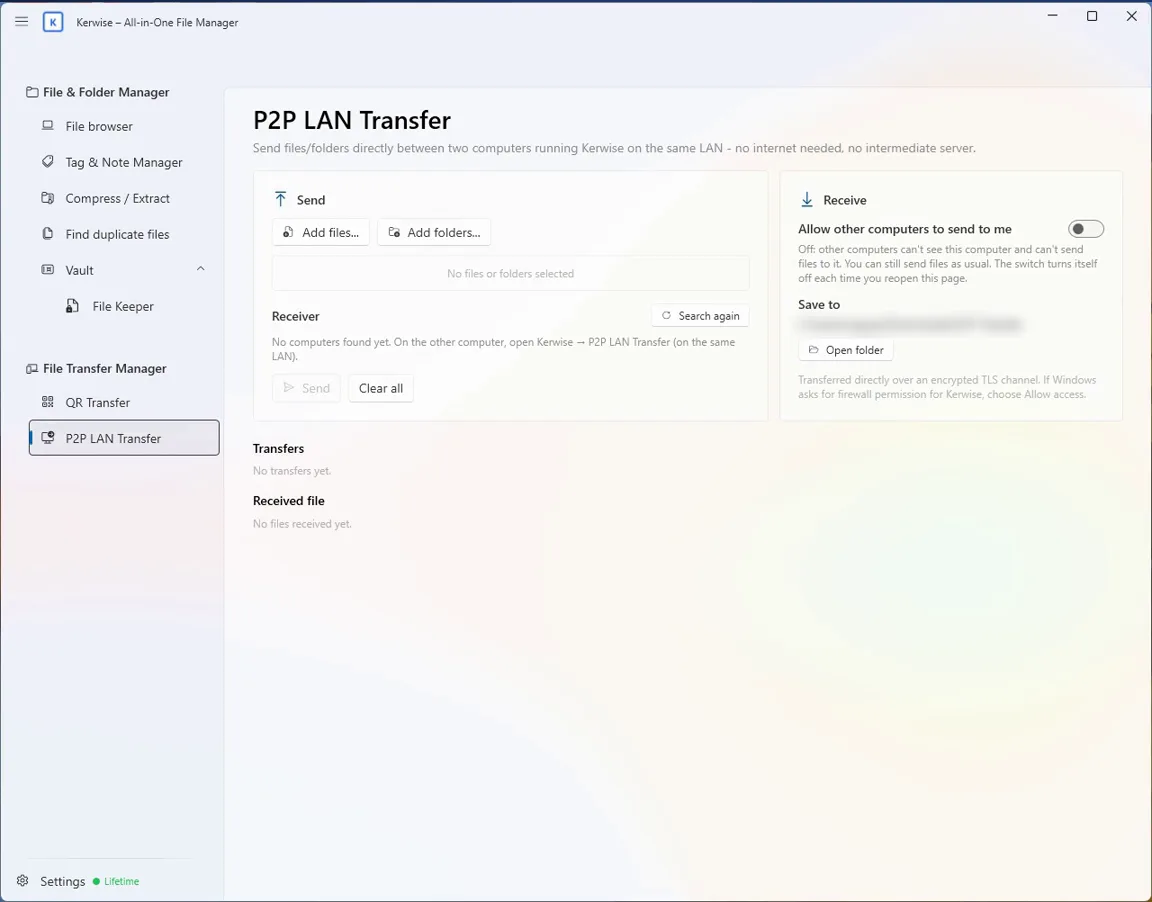
- P2P LAN Transfer: send files and folders directly between two computers running Kerwise. The receiver approves each transfer, the connection is encrypted, and every file is checked after it arrives.
Neither of them uses the Internet or a server in between.
Plans
Compressing and extracting are free. The other tools are part of Pro (yearly) or Lifetime (one payment), and every feature can be tried free for 30 days without a card. Kerwise – All-in-One File Manager runs on Windows, comes from the Microsoft Store and speaks 14 languages.